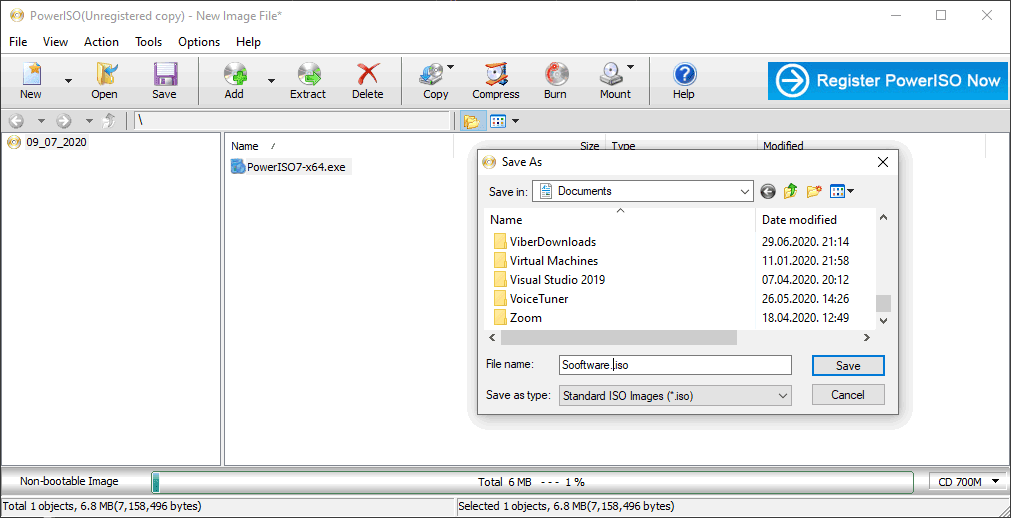
Windows 10 users can open certain types of image files without the need for a third-party solution. However, you still need a tool like PowerISO for anything slightly advanced related to image files on your computer. Let's see what this tool is all about.
Image creation and virtual drives
PowerISO is mostly used to create ISO files you can later burn to a CD or DVD. Even better, you can burn these images directly using this tool. Apart from that, it can be used to manage virtual disc drives. You can have up to 23 virtual drives mounted on your computer using PowerISO. You can also open ISO files from within the app and edit them directly.
Compression and security
One of the other features that this tool provides is file compression. Simply select the image file you want, and you can compress its content and even set up a password to keep the files protected. Extracting data from your disc drive has never been easier. PowerISO boasts a simple layout for both experienced and casual users.
Supported formats and licensing
It supports Blu-ray, among other disc types. Also, it provides support for numerous image formats besides the usual ISO format. The developer offers a one-time lifetime license to register your copy of PowerISO, though the final cost depends on active promotions. While the unregistered version is free to try, it restricts you from creating or editing image files larger than 300 MB. It's generally a fantastic software for the job and the #1 choice by most users when it comes to ISO file management.
Vedin Klovo
App tester and reviewer
★★★★★
★★★★★
Pros
Unregistered version is free to try with size limits
Great software for creating and burning ISO files
A superb virtual drive manager (up to 23 drives)
Offers file compression and password setup
Supports Blu-ray discs and many file formats besides ISO
Cons
The lifetime license is a bit expensive
License
Demo
Minimum requirements
• Intel Pentium 166MHz or above • 64MB memory • At least 10MB hard disk space